Skip to content
Savage Impulse

Savage Impulse Kyklos

Radial launcher for Windows

Launch by wedge.

A radial launcher for Windows.
Click your trigger, a ring snaps open under the cursor.

For Windows power users who live in the keyboard.

What it does

A six-wedge ring at the cursor.

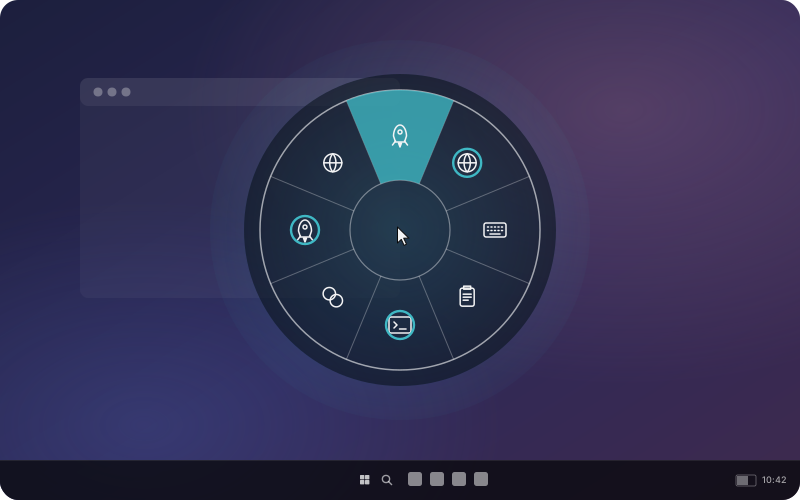
Kyklos puts a six-wedge ring at the cursor whenever you click a trigger button. Each wedge can launch an app, open a URL, send a hotkey, insert a snippet, run a command, or open a nested ring. Multiple rings, routed by foreground app. Themes, sounds, and triggers all configurable. Windows tray app, $14.99 one-time, no account, no cloud.

How it works

Click your trigger. The ring opens. That's the whole thing.

Click your trigger. A ring snaps open under the cursor. Six wedges you chose. Hit one to launch an app, open a URL, send a hotkey, or dive into a nested ring. No travel, no Start menu, no tab-hunting. Your hand never leaves the pointer.

Six things a wedge can do

One gesture. You pick what happens.

Configurable

Tuned to how you work.

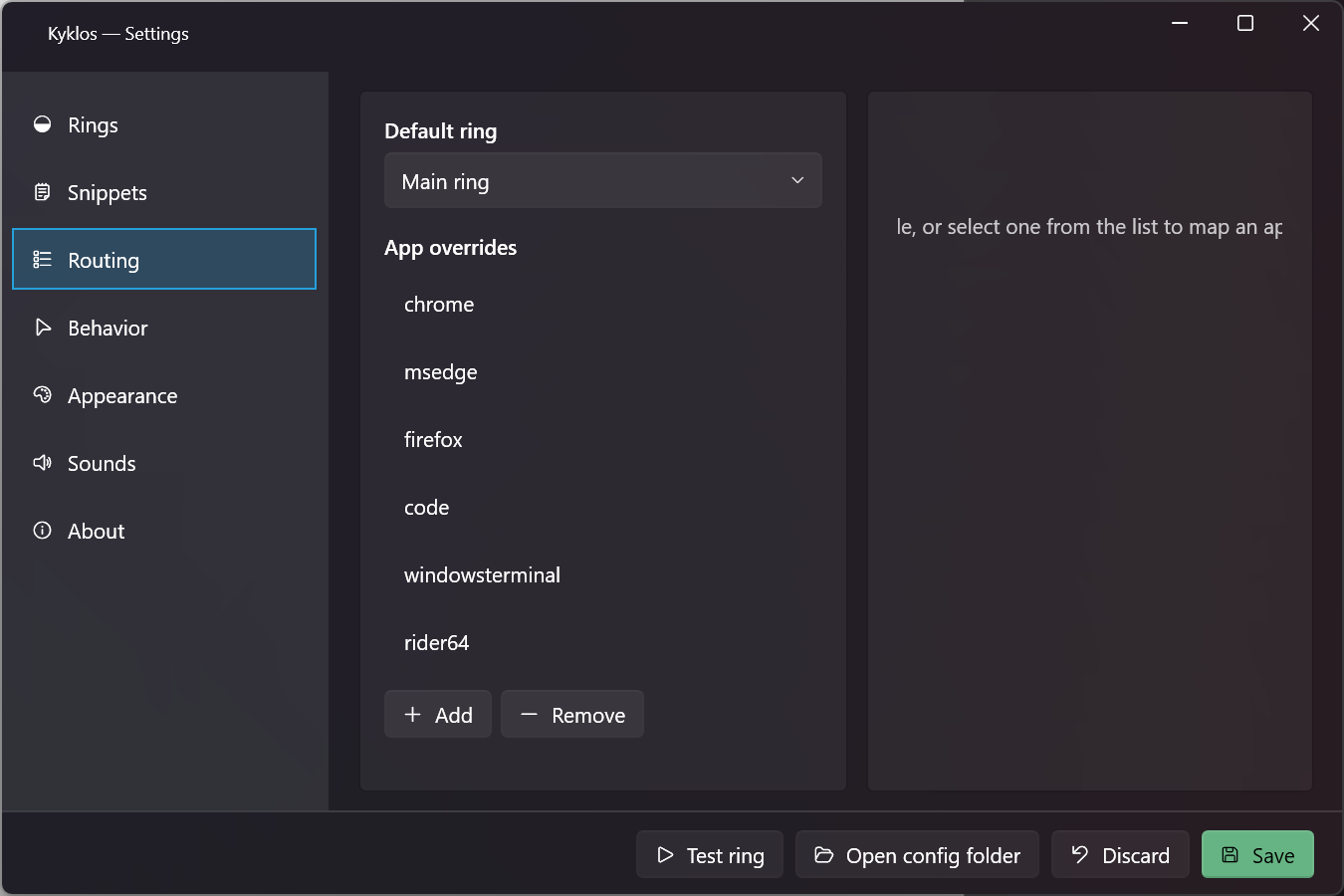
Kyklos Settings, Routing tab. List of app overrides mapping browsers, editors, and games to dedicated rings.

Different ring for different work.

Multiple rings, routed by app.

Build separate rings for the browser, the editor, the games. Kyklos reads the foreground process and opens the matching ring automatically. The one called Main ring fires everywhere else, so there's always a fallback. Map as many apps as you want, switch the routing in Settings without rebuilding the wedges.
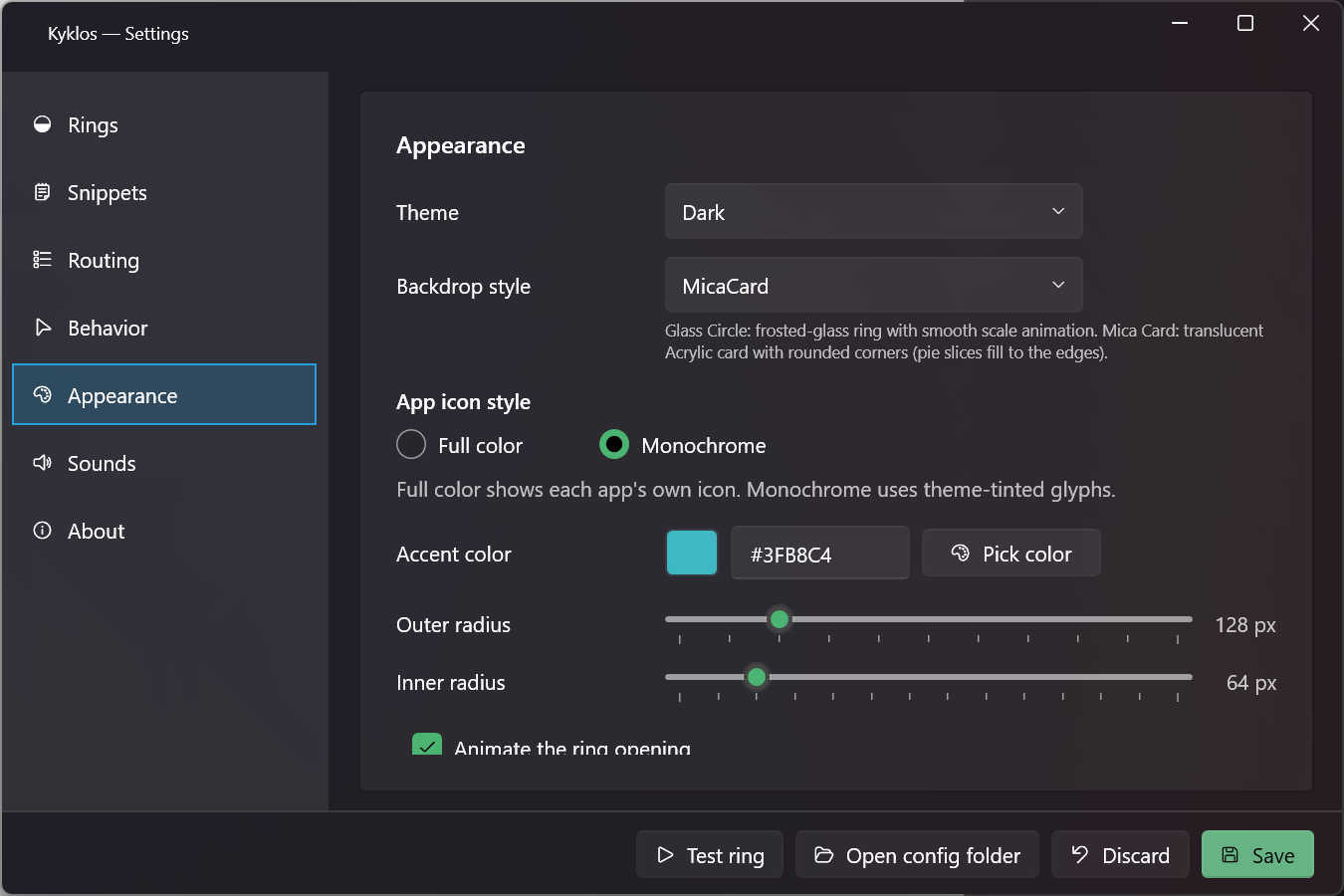
Kyklos Settings, Appearance tab with theme, backdrop, accent colour, and ring radius sliders.

Dark or light. Glass or Mica. Your accent.

Appearance.

Two themes, two backdrop styles (Glass Circle or Mica Card), a colour picker for the accent, and sliders for the ring's outer and inner radius. Full-colour app icons or clean monochrome glyphs, picked per ring. The ring you see every day should look the way you want it, not the way a default theme decided.

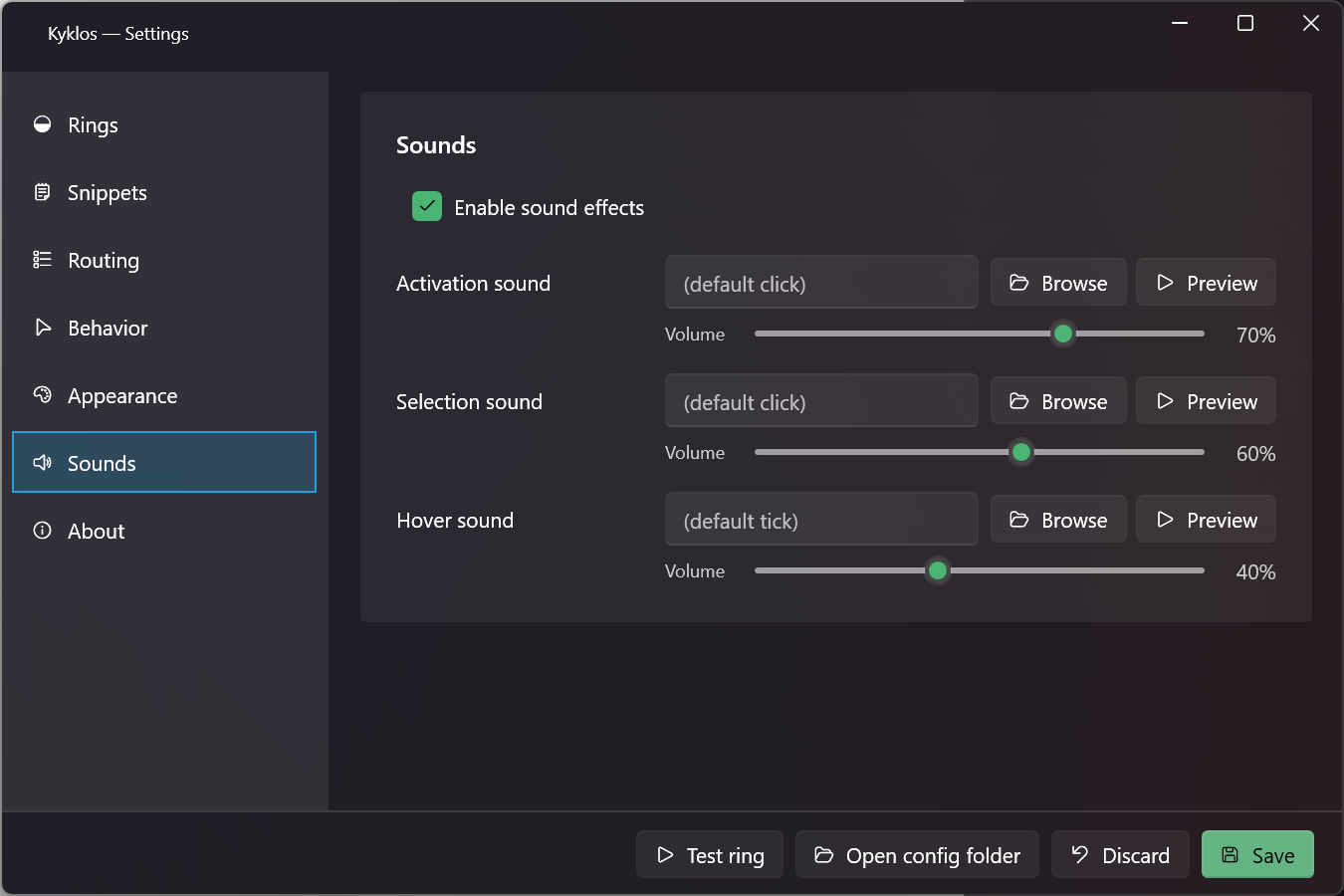
Kyklos Settings, Sounds tab with three channels (activation, hover, selection), each with volume and browse controls.

Feedback that doesn't get in the way.

Sound.

Three sound channels: activation when the ring opens, hover as you slide across wedges, selection when you commit. Each has a volume slider and accepts a custom .wav file. Or leave them blank and Kyklos generates its own at 520Hz, 1760Hz, and 880Hz. Turn the whole lot off with one toggle.

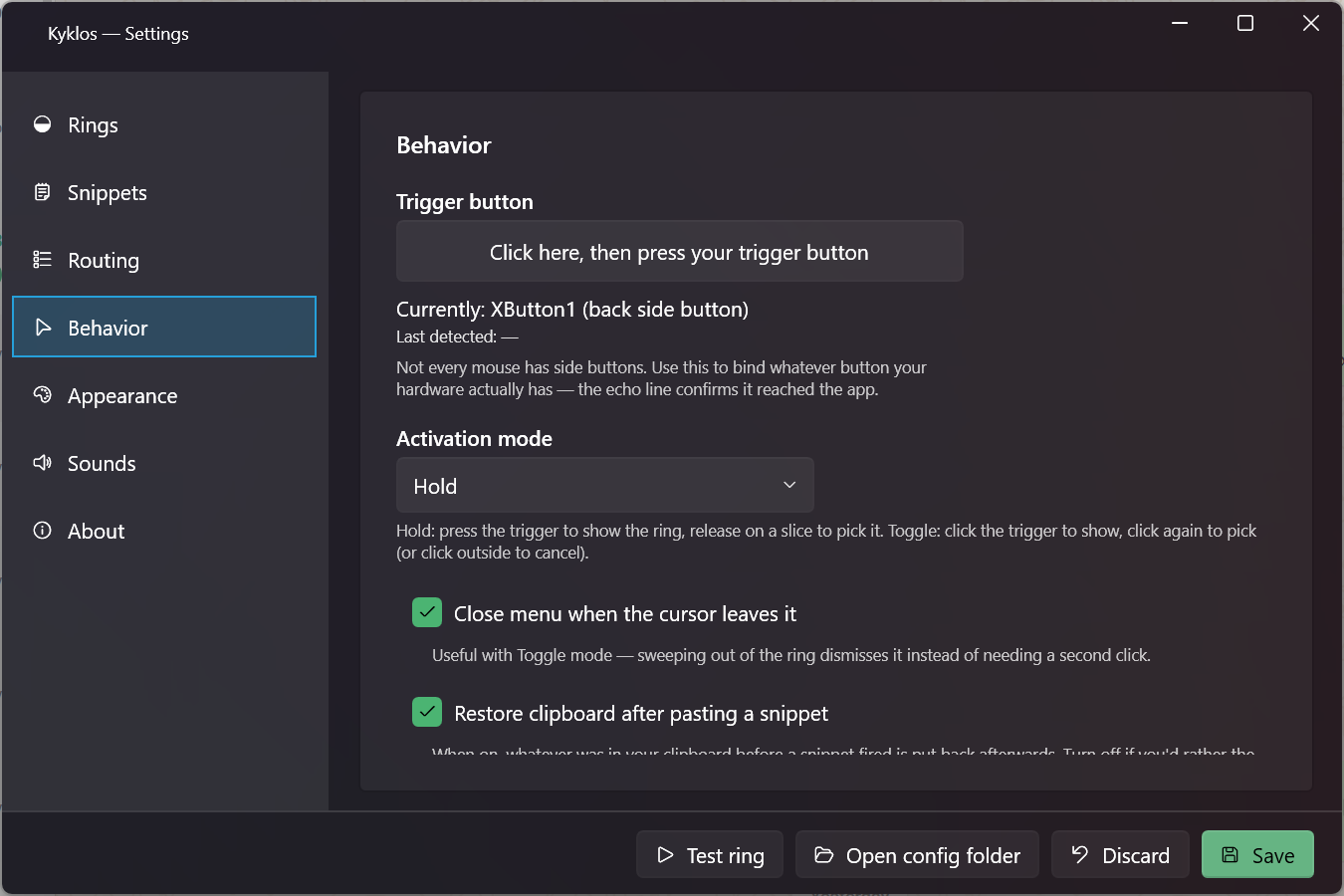
Kyklos Settings, Behavior tab with trigger button picker, activation mode dropdown, and behavior checkboxes.

Whichever button you reach for.

Trigger.

Side-button 1, side-button 2, middle-click. Bind whichever button your mouse already has, or whichever you'd reach for next. Hold to preview and release to fire, or click once to open and click again to commit. Kyklos works with the mouse on the desk, not a specific model.

Get Kyklos

Get Kyklos.

$14.99 · One-time · Windows

Public build arriving soon.

No account. No cloud.