Skip to content
Savage Impulse

Savage Impulse Plekto

Windows / Free

Direct the region. Keep the frame.

Plekto detects every face in your AI still.
Add regions for hands, props, anything else, then direct each one.
The rest of the still stays exactly where you left it.

For AI-stills practitioners coming from the Photoshop loop.

What it does

Mark the region. Direct it. Keep the frame.

Mark a region in your AI still and tell Plekto what it should be. Fix a broken hand, remove a stray object, swap a face, or shift an expression from calm to tense. The region updates, the rest of the image stays exactly where you left it. Plekto routes each region through Gemini, Replicate, or Fal, composited back into the original at full resolution with the seams gone.

What you can do with it

From the region out.

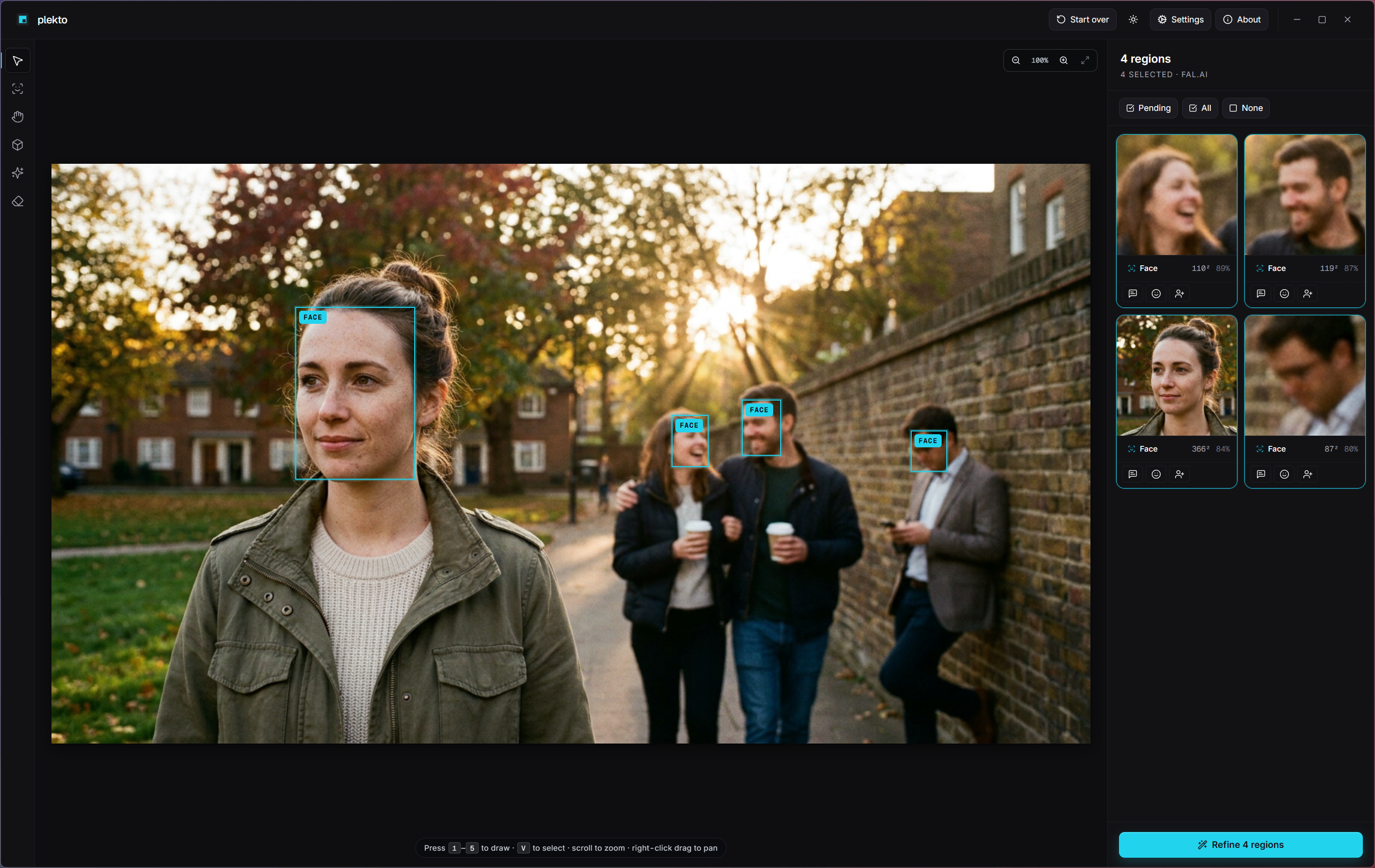
Plekto canvas with four faces auto-detected on a street portrait, cyan FACE labels on the canvas and right-panel thumbnails listing the detected regions.

Faces detected. Anything else, on your call.

Plekto marks the faces. You mark the rest.

Drop the still in. Plekto detects every face and pre-marks each one as a region. From there, add your own regions for hands, props, backgrounds, anything in the image you want to direct. Each region is independent, and the rest of the still stays exactly where you left it. Plekto routes each region through Gemini, Replicate, or Fal, then composites the result back at full resolution with the seams gone.
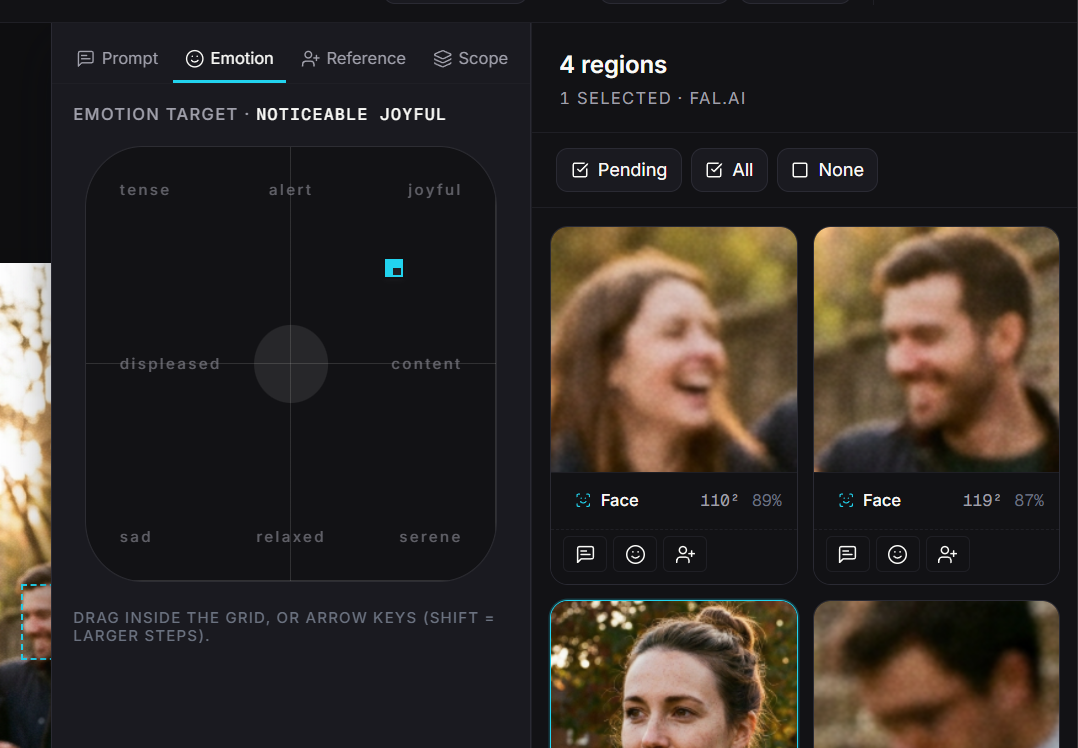
Plekto's valence/arousal grid open over a portrait, directing expression from calm toward intense.

Subtle to strong. Calm to tense. Sad to joyful.

Set the emotion.

The valence/arousal grid lets you direct the expression of any face you're refining or replacing. Pick a point on the grid and the affect carries through into the regenerated region.

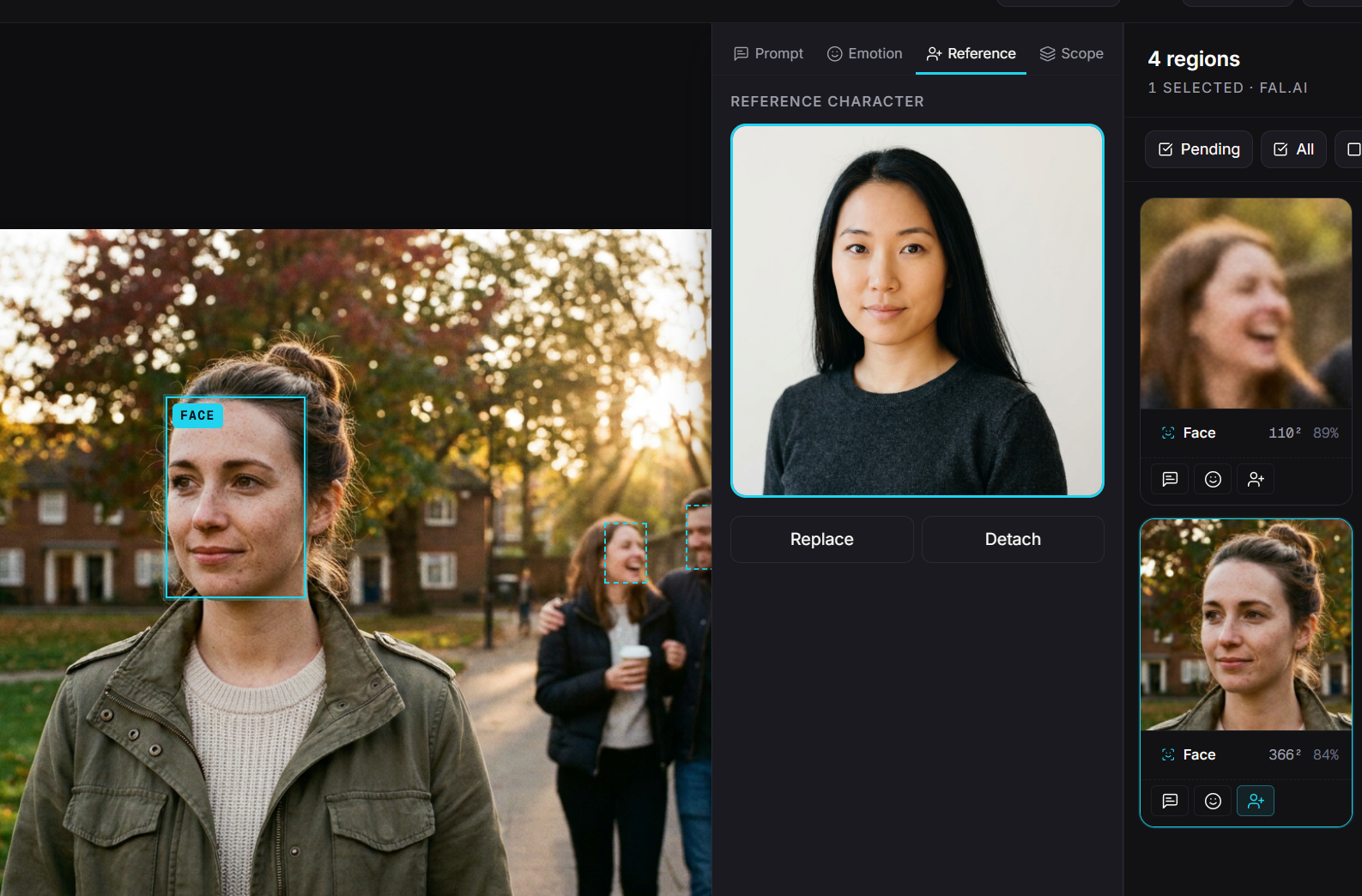
Plekto face-replacement view, reference character attached in the side panel and the target region marked on the still.

Swap identity. Keep the image.

Face replacement.

Attach a reference character. Plekto swaps identity into the marked region while preserving the surrounding image, including lighting and edge integrity at the seam.

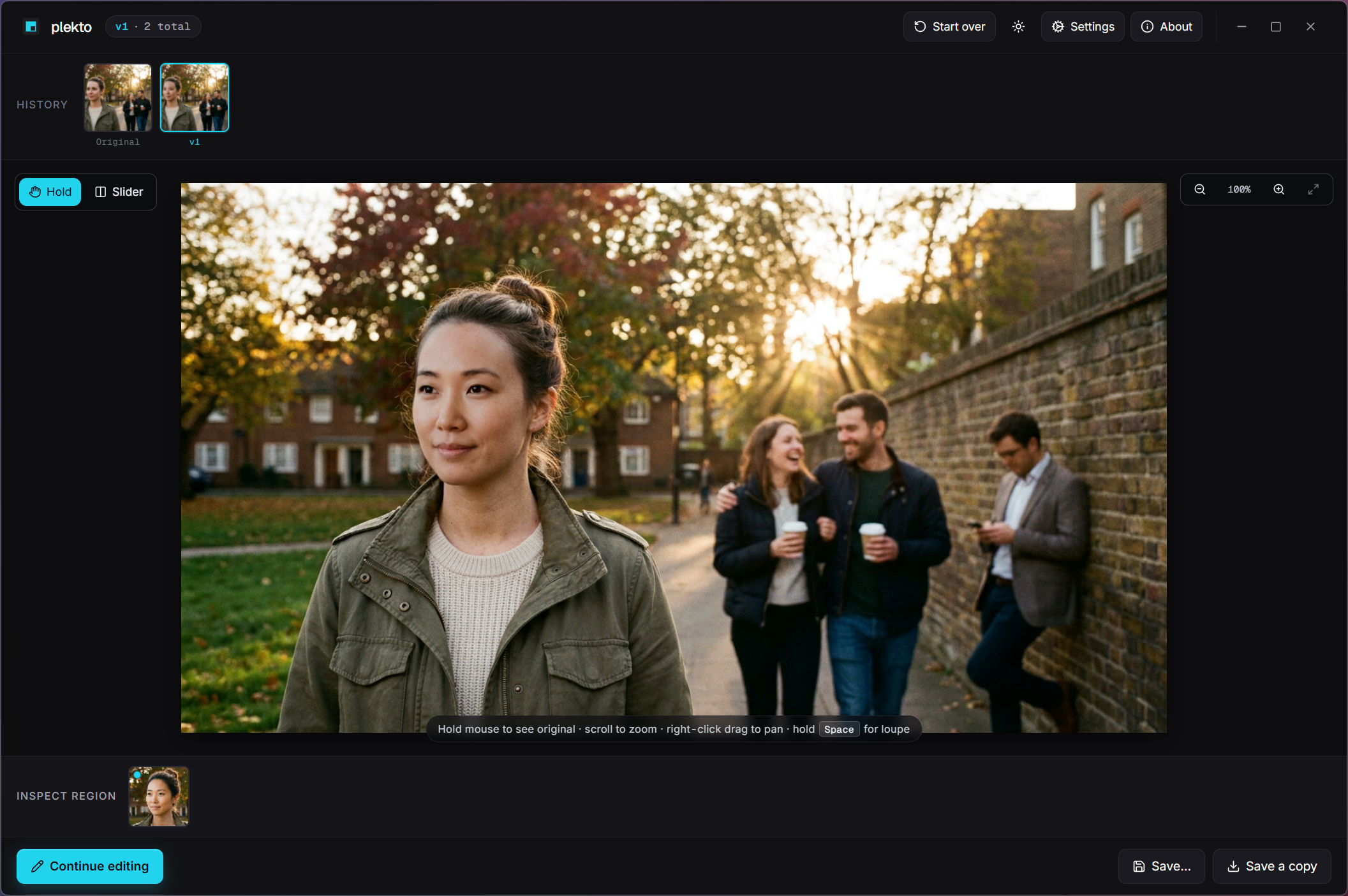
Plekto's iteration UI showing multiple refinement passes on a single still with a compare view.

Every pass is a version.

Iterate.

Each refinement creates a new version. Compare, peek, and refine further on whichever pass you keep. The history strip means you can always step back to the version you liked two passes ago.

Get Plekto

Get Plekto.

Free · Windows

Available soon. Free, forever.

No account. No telemetry. Only the regions you mark for regeneration go to your chosen provider. The rest of the still never leaves your machine.