Skip to content
Savage Impulse

Savage Impulse Rekolla

Voice-over studio for Windows

Stay in the read.

A voice-over studio for Windows.
The recording session is the editing session.

For voice actors, podcasters, and narrators recording on Windows.

What it does

From the take to the file.

Rekolla records voice-over with one-key retakes. When you flub a line, tap spacebar, Rekolla scans the waveform back to the last natural silence and drops you in for the next take. Double-tap to redo the whole sentence. By the time you stop recording, the audio is cleaned, mastered, and ready to ship. No DAW. No timeline. Local-first, your audio stays on your machine.

How it works

One key. That's the whole edit.

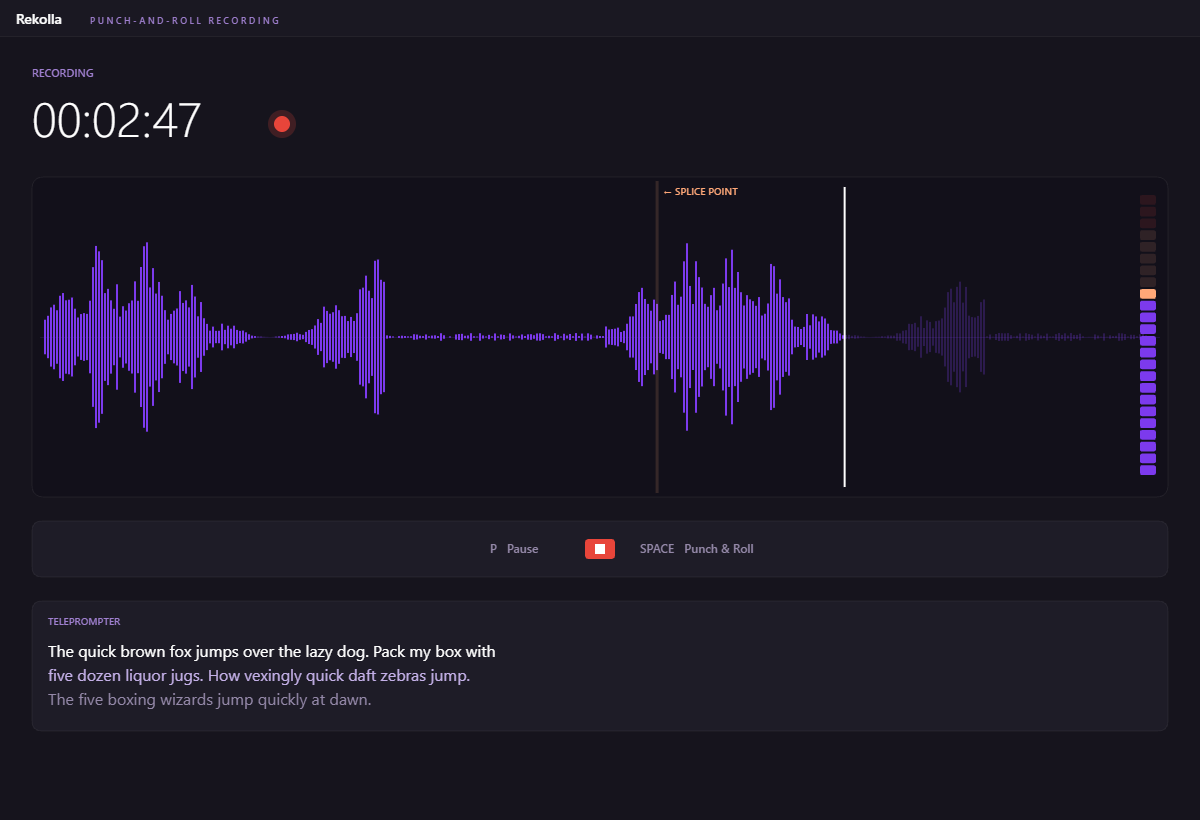
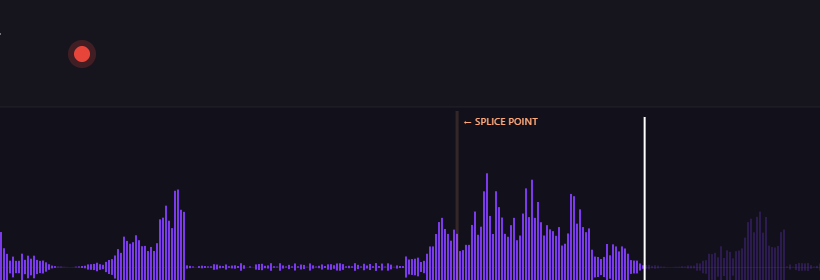
You stumble. You don't stop. Tap spacebar and Rekolla scans backward through the waveform, finds the last natural silence (the pause between sentences), and rewinds there. You hear a 2-second lead-in of your last clean phrase, then a beep. You're back in the read.

The splice sits on a real silence, so it disappears in the final mix. Double-tap within 350 milliseconds and Rekolla skips back further, past the sentence, to the silence before it. Stop recording when you're done. The edits already happened.

Rekolla recording view with live waveform and the spacebar retake indicator visible.

What's in the box

Six pieces of one studio.

Configurable

Tuned to your format.

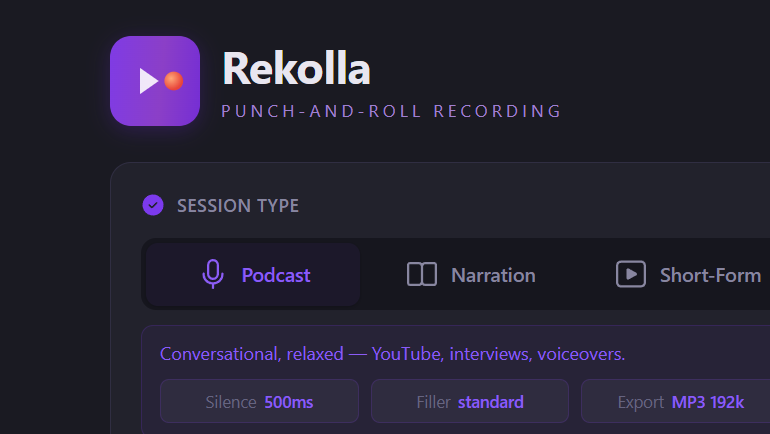
Rekolla setup screen showing the three session types: podcast / YouTube, professional narration, short-form.

Pick a session, get the right defaults.

Three session types.

Podcast and YouTube. Professional narration for audiobooks, e-learning, and corporate. Short-form for ads, promos, and social. Each preset tunes silence-detection threshold, filler sensitivity, default export format, and target loudness. The same one-key retake works in all three.
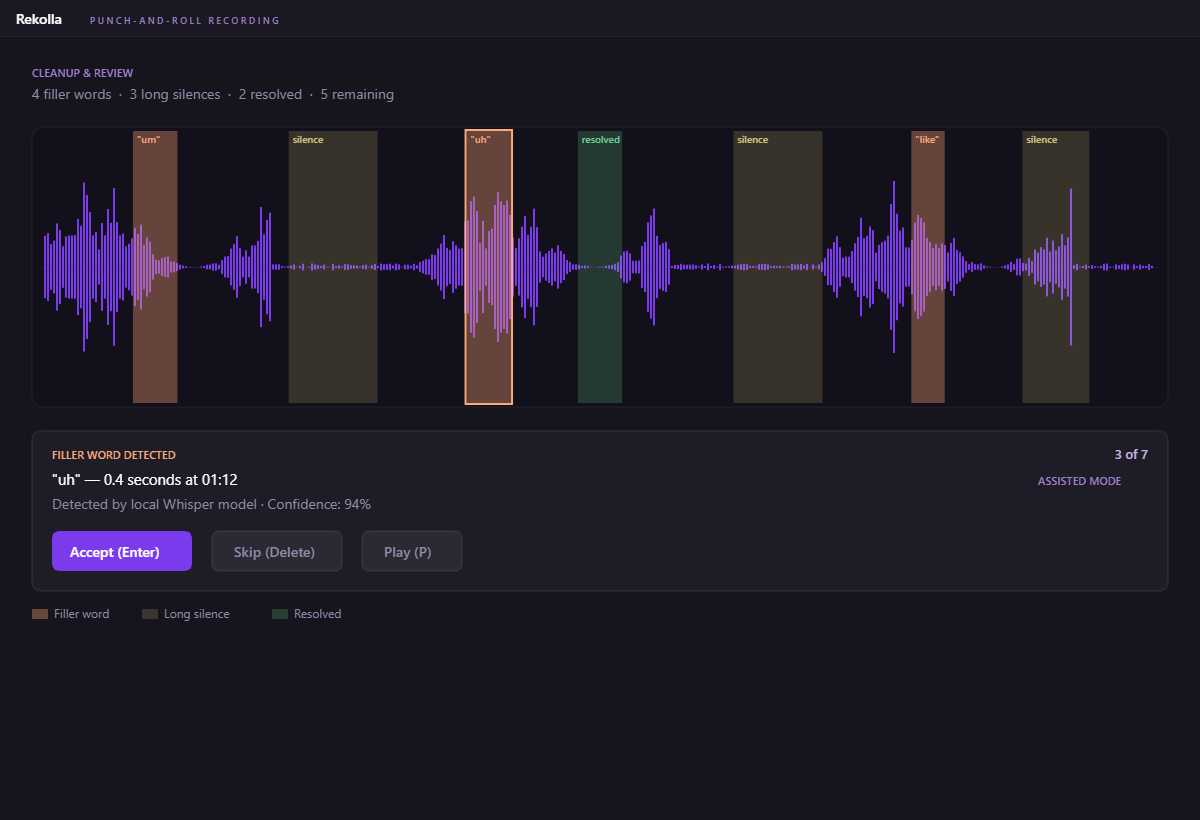
Rekolla cleanup view with flagged fillers and silences laid out for review or one-pass removal.

You stay in control. Or you don't.

Two cleanup modes.

Assisted mode steps through every flagged filler and silence one at a time. You preview each cut, accept or skip, and the keyboard handles the whole pass (Enter to accept, Delete to skip, arrows to navigate). Auto-clean mode marks everything for removal in one pass, with full undo if the result isn't right.

Rekolla splice/recording view showing the waveform with detected silences and filler markers.

Cloud or local. Your call.

Two filler-detection engines.

Cloud transcription is faster and handles accents and technical vocabulary more reliably, sends the segment being analyzed to a transcription API and uses your key. The local engine is a small model that downloads once and runs entirely offline, nothing leaves the machine. Set the choice per session.

Get Rekolla

$29.99. One-time.

$29.99 · One-time · Windows

No subscription. All version 1 updates included.

No account. No cloud. Your audio stays on your machine.